Measure and keep a finding
A finding is a spot or an area kept on the flight with a name, notes, a severity and the frames that saw it: what a report is made of.
1. Measure
The drawing tools are on the map's top edge: a spot, a line, an area, a box, a circle and a Delta T. Choose the box and drag it across the place to measure. A card on the map gives its temperatures and a histogram.
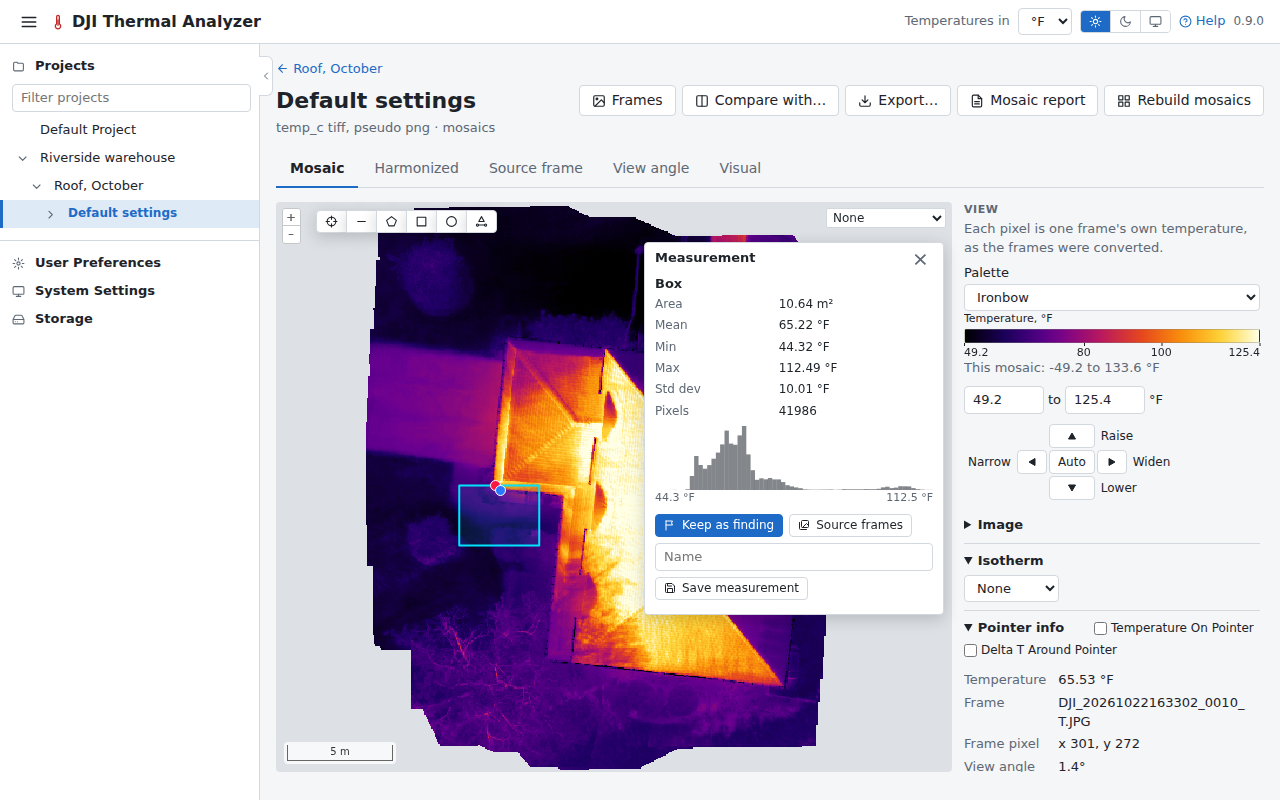
Save measurement keeps it as a measurement, listed in the panel's Saved measurements. Here, keep it as a finding instead.
2. Keep it as a finding
Press Keep as finding on the card. The form opens over the frames that saw the area: give it a name, notes, a severity and a status, and choose the frames to keep with it.
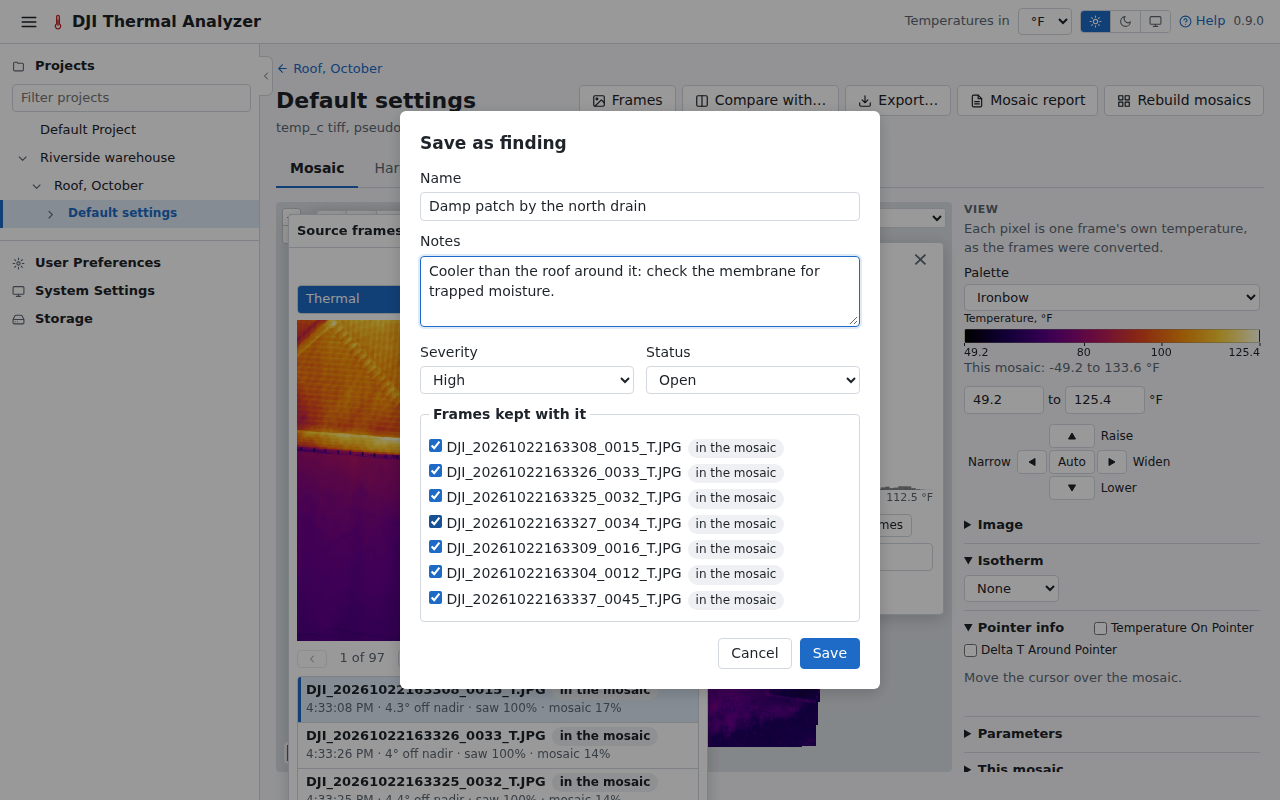
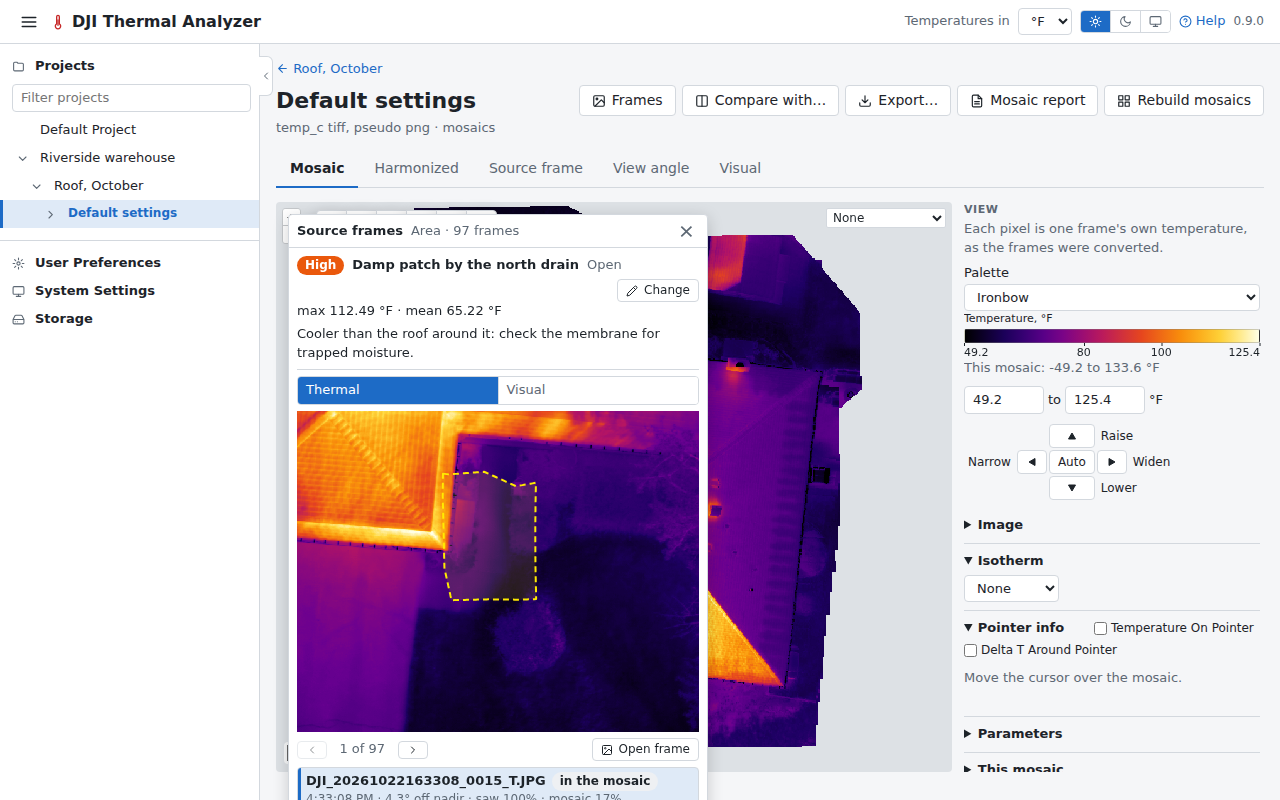
Press Save. The finding is drawn on the map in its severity's colour, and opens with its frames when clicked.
Next: print the reports.