Frames explorer
The frame page shows a dataset's frames one at a time, as converted, opened with Frames on its card, in the viewer's header or under the dataset in the navigation pane.
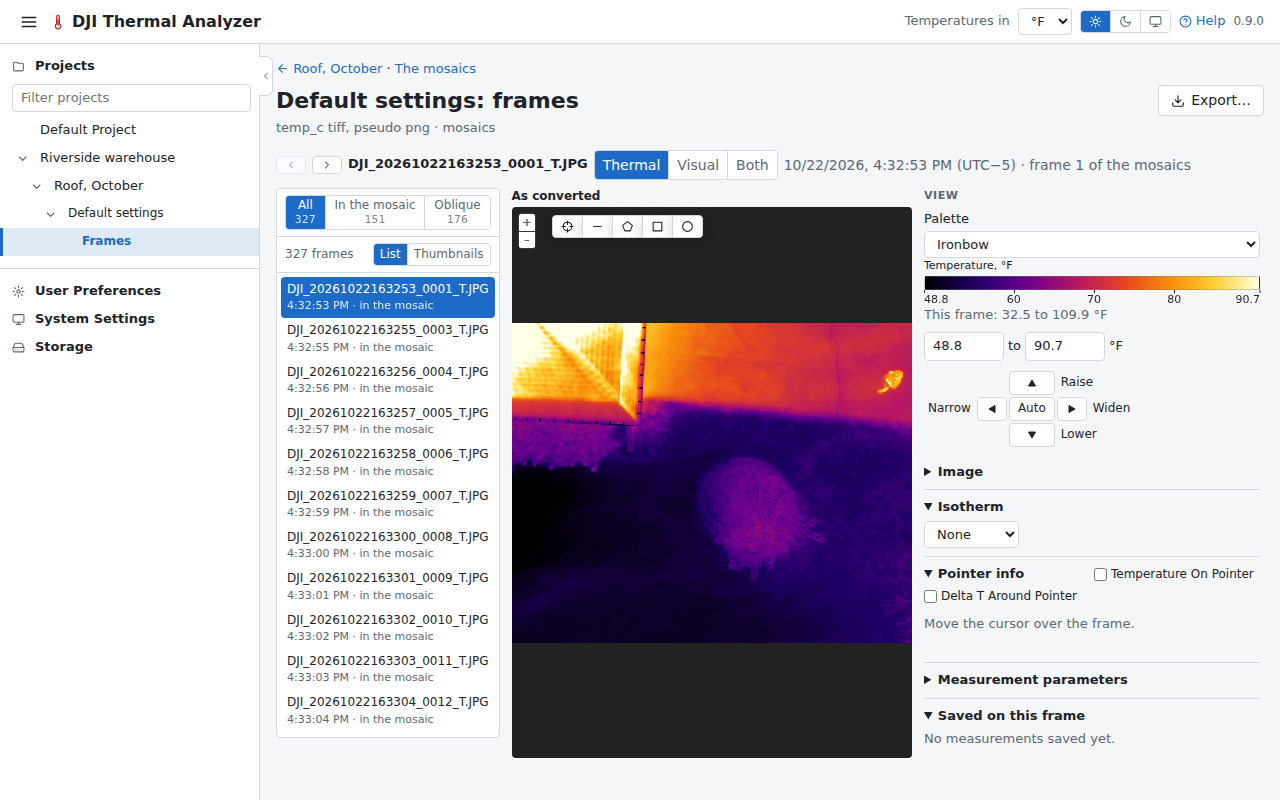
The list
The frames are listed beside the frame shown, in the order they were taken. Once the mosaics are built, a switch shows all of them, those In the mosaic (the frames the mosaic placed) or the Oblique ones (those it left out for their angle, whose angles show what a view straight down misses, including those a conversion with a pitch limit did not convert), with their counts. The switch is kept in the page's address.
They are listed as a list (name, time, and whether a frame is in the mosaic, oblique at its angle, left out as unusable or not converted) or as thumbnails, a switch the browser remembers.
The first is shown on opening; a click or Left Right shows another.
The frame
The frame has the viewer's palette, range (with its cross of Narrow, Widen, Lower and Raise round Auto, within the frame's own temperatures), image sliders and Banded, Pointer info and measuring. Its Thermal/Visual/Both switch shows the frame's visual image in its place or beside it, with the same shapes and the cursor on it, and measures the thermal frame under them. A frame can be measured again with other parameters. Temperature On Pointer, in Pointer info's heading, shows the frame's temperature beside the cursor, and Delta T Around Pointer compares the pixel under it with those in a circle around it, as on the viewer; on a frame the circle's radius is in the frame's pixels (3 to 50), on the frame as converted.
The photos of a flight of visual images only
The frames of the dataset of a flight of visual images only are the flight's photos, listed in the same way (those In the mosaic, the Oblique ones). Each is shown as it was taken, with when and where, its height above the take-off point, its gimbal pitch and whether the mosaic placed it, and Full size opens it at its own size. It has no temperatures to read or measure. The Files tab's photos open here too.
The map
Its small map shows where the frames were taken. It can show the flight's visual photos too (orange squares), a switch the browser remembers.
Export… exports the frame as shown, with its saved measurements and colour scale, or the frame alone, as converted or with the parameters changed (see Exports).